
You uploaded that video to YouTube three months ago. Spent a whole weekend on the edit. Wrote a solid description, added timestamps, shared it everywhere you could think of. It did okay. Maybe a few thousand views. Maybe more.
And then it just… sat there.
Here’s what nobody tells you about that video: it’s still full of moments that could be working for you right now. Moments that would stop someone mid-scroll on Instagram if they ever had a chance to see them. A line you said at the 22-minute mark. That story you told around the 40-minute point. The thing you explained so clearly your regular viewers probably screenshot it.
None of those moments have ever touched Instagram Reels. They’re buried inside a horizontal video that 99% of the internet will never click on.
That’s the gap this guide is about.
Turning YouTube videos into Instagram Reels sounds simple on paper — and the basic version of it is. But doing it in a way that actually builds your audience, actually reaches people who don’t know you yet, and actually creates compounding distribution? That’s a different conversation. And it’s one most creators never have.
So let’s have it. All of it — the technical process, the strategic reality, the mistakes that quietly kill reach before it has any chance to build, and the distribution model that separates creators who grow from creators who grind.
What “Turning a YouTube Video into a Reel” Actually Means
Ask most people how to do this and they’ll say something like: “Just crop it to vertical and post it.” Which is technically true, the same way “just find a good keyword and write about it” is technically true about SEO. It’s not wrong. It’s just missing basically everything that matters.
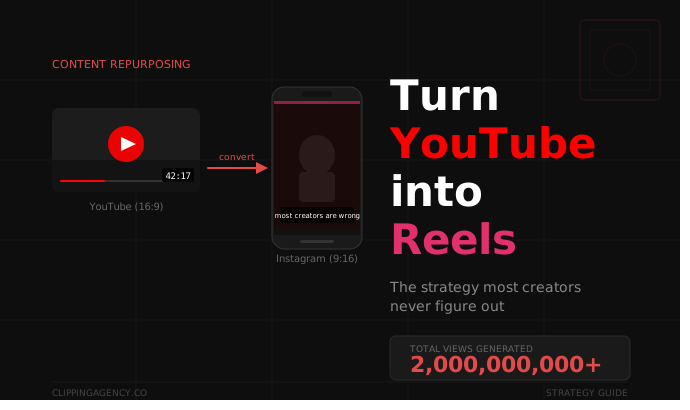
Turning a YouTube video into an Instagram Reel is a three-part process. All three parts matter. Skipping any one of them is why so many creators do this work and still see flat numbers on the other end.
Part one is extraction. This is finding the actual moments worth clipping — not your favorite part of the video, not the most technically impressive section, but the moments that would make a complete stranger stop scrolling. A sharp opinion. A surprising fact. A story that starts mid-scene. A line that makes you want to hear what comes next. These are the raw material. The rest is just runtime.
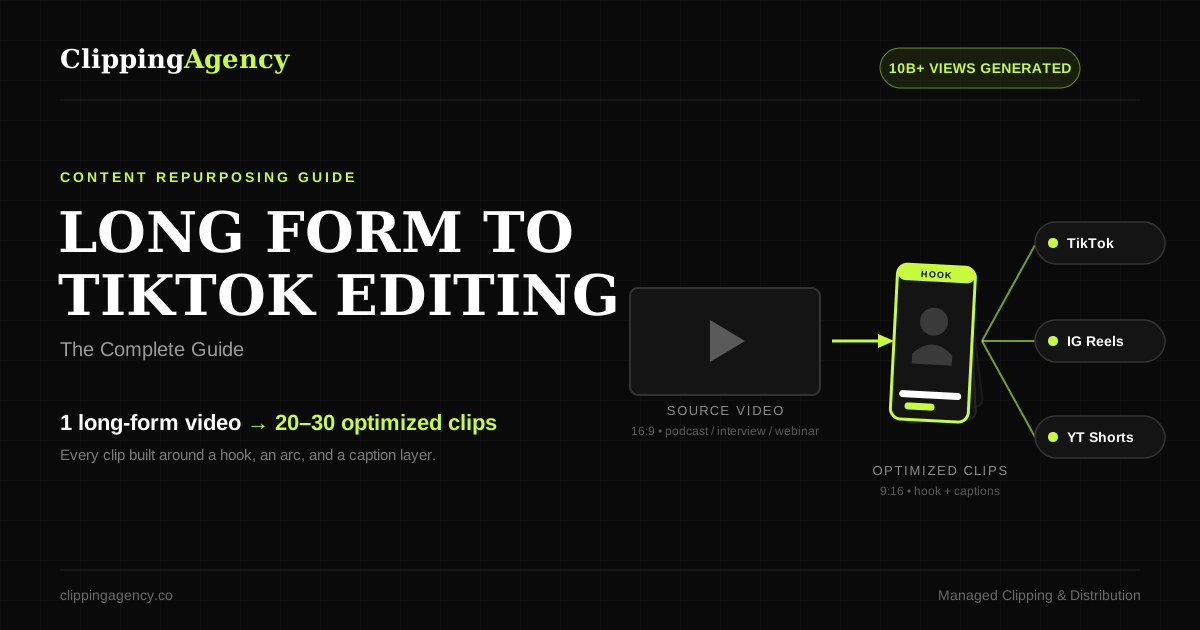
Part two is formatting. This is the technical stuff: converting 16:9 to 9:16, cropping the frame correctly so the speaker stays centered, adding captions that sync to how people actually speak, constructing a hook in the first two seconds, and exporting a file that Instagram won’t compress into a blurry mess. Every single one of these details affects whether your clip survives the algorithm’s first test or disappears into the feed.
Part three is distribution. This is where almost everyone stops too soon — and it’s where essentially all the leverage lives. One clip, posted once, from one account, is one algorithm signal. For most creators, that signal is too weak to trigger wide reach. The entire game changes when you stop posting from one account and start distributing across many. More on this later. A lot more.
Keep all three parts in your head as you go through this. Because part three is the one that will actually move your numbers.
Why Your YouTube Videos Are Sitting on More Reels Potential Than You Think
This isn’t a nice thing to say. It’s structurally true, and understanding why helps you clip better.
Instagram’s Reels algorithm — the part of it that decides whether to show your clip to people who don’t follow you yet — runs on three main signals: watch-through rate, share velocity, and saves. Each of those three signals is triggered by a specific kind of moment. And long-form YouTube content is structurally loaded with exactly those kinds of moments.
Watch-through rate is about hooks and pacing. Reels viewers make their decision in about two seconds. If the clip opens with something that creates tension — a bold claim, a counterintuitive statement, a story that starts in the middle of something — they stay. If it opens with “Hey guys, welcome back, so today I wanted to talk about…” they’re gone before the thought is finished. YouTube content, especially interviews and educational deep-dives, is full of moments where someone gets straight to the thing. Those moments are natural hooks. They just need to be found.
Share velocity is about ideas that feel worth passing on. The clips people immediately DM to a friend are the ones where someone said something that felt like a direct message to that friend. This is the structural DNA of good YouTube content — opinions with stakes, stories with real outcomes, arguments that push against what most people assume. Generic social content almost never has this. YouTube content almost always does.
Saves are about utility. When a viewer wants to come back to something — a framework, a process, a fact they want to share later — they save it. Tutorial moments, condensed explanations, “here’s the actual way to think about this” beats: these are everywhere in YouTube content. And each one is a potential save-driver on Reels.
Your YouTube catalog is already built to generate exactly the signals Instagram’s algorithm is looking for. The content exists. It’s just not formatted, extracted, or distributed in a way that lets Instagram find the audiences who’d respond to it.
The Technical Process: Step by Step
Step 1: Find the Moments (This Is the Whole Game)
Before you open any editing software, you need to watch your video with a different set of eyes. Not as the person who made it. As a complete stranger who has half a second before their thumb moves.
You’re looking for five specific types of moments:
The Strong Opinion Opener — any point where the speaker makes a clear, confident, possibly uncomfortable claim right away. Not a hedge, not a “it depends,” not a preamble. Just: here’s what I actually think. “Most YouTube creators are wasting 80% of their content.” That kind of thing. It creates immediate tension. The viewer either agrees and wants to hear more, or disagrees and absolutely has to keep watching.
The Counterintuitive Fact — the moment where something the audience thought they understood turns out to be backwards. “We ran 500 clips through A/B testing and the lower-production ones beat studio-quality video every single time.” Counterintuitive facts get shared because people want to be the one who showed their friend they were wrong about something. Instagram was basically built on this impulse.
The Emotional Pivot — the point in a video where the tone shifts unexpectedly. Someone moves from explaining to confessing. From analytical to genuinely frustrated. From calm to passionate. These moments are magnetic because they feel real in a way that scripted content never does. Reels audiences have extremely well-calibrated radar for authentic versus performed, and emotional pivots register immediately as authentic.
The Framework Drop — the moment where a complex idea gets condensed into something simple and repeatable. “There are really only three things that determine whether a Reel reaches a cold audience. The hook, the share trigger, and the distribution.” Frameworks get saved. Every save is a signal Instagram uses to push the clip further. Educational content is full of these.
The Story Setup — the moment where a story starts in the middle of something. “So we’re on this strategy call, and the creator says something that completely changed how I think about growth…” The viewer doesn’t know the setup yet. They need to know how this ends. Story setups create a psychological loop that keeps people watching to the close.
Go through your video and timestamp every moment that fits one of these types. Don’t start editing yet. Just find them. A solid 60-minute YouTube video usually has somewhere between 8 and 20 of these moments once you start looking with the right frame.
Step 2: Cut to the Right Length
Reels can technically run up to 90 seconds. But “technically possible” and “actually performs well” are very different things.
For strong opinion clips and counterintuitive facts, 15 to 30 seconds is the sweet spot. These formats don’t need runway. They land fast, and that speed is part of what makes them work. The share happens because it felt effortless.
Framework drops and story setups usually need a little more room. 45 to 60 seconds lets you build just enough context for the payoff to land without losing people in the middle.
Dense educational moments are the one case where 60 to 90 seconds makes sense — but only if you can honestly say every single second earns its place. If there’s any drift, cut it. Scroll fatigue is real.
The mistake almost everyone makes is starting too early. They include 10 to 15 seconds of context before the actual moment begins, because it makes sense to them as someone who understands the full video. It doesn’t make sense to someone who has zero context and is judging in two seconds whether this is worth their attention. Start at the moment. Not before it.
Step 3: Reformat for Vertical (16:9 → 9:16)
YouTube is horizontal. Reels is vertical. The conversion isn’t complicated, but it does have a right way and a wrong way.
The basic approach is a center crop: you take the 16:9 frame, keep the center, and crop down to 9:16. Works fine when the speaker is in the middle of the frame and not moving much. Quick, clean, gets the job done.
The better approach — especially for videos where the speaker moves, gestures, or shifts around — is to use a video editor with keyframe tracking. CapCut handles this well and is free. DaVinci Resolve and Adobe Premiere do it more precisely. You’re essentially telling the crop to follow the speaker rather than stay fixed at a center point. The result is a clip that feels intentionally composed rather than mechanically cropped.
The professional approach is to use the 9:16 frame as a full canvas and put a blurred, zoomed version of the original horizontal footage in the background behind the vertical crop. The speaker fills the center vertical panel, and the blurred background fills the edges. No black bars. Looks fully native to the platform. Takes an extra few minutes per clip and is worth it for your best-performing content.
The specs that actually matter for Instagram Reels:
- Aspect ratio: 9:16
- Resolution: 1080 × 1920 pixels minimum
- Frame rate: 30fps or 60fps
- File format: MP4 with H.264 encoding
- Maximum file size: 4GB
- Leave the bottom 15% of the frame clear — Instagram’s UI elements live there and will cover anything you put in that zone
Step 4: Build the Hook Into the First Two Seconds
Let’s be precise about what a hook actually is, because “add a hook” is advice so vague it’s almost useless.
A hook is not a text card. It’s not a countdown. It’s not the word “WAIT” in block letters. A hook is the first thing the viewer sees and hears that makes stopping feel like the obvious choice.
There are two kinds: audio hooks and visual hooks.
The audio hook is the first sentence of the clip. It needs to be the most interesting sentence in the entire clip — or at minimum, a sentence that makes the most interesting sentence feel inevitable. If your clip currently opens with “So, going back to what we were discussing before…” you have an audio hook problem. Cut forward until you find the sentence where something actually begins.
The visual hook is what appears on screen in the very first frame. If the speaker is mid-gesture — pointing at something, leaning forward, caught in the middle of an expression — the viewer’s brain reads it as entering something that’s already happening. That’s intentional. Mid-action frames read as alive. Static neutral frames read as about to start. People scroll past things that are about to start.
Text overlays on the first frame work when they create a genuine question or stake — not a label for what you’re about to say, but a tension the viewer needs resolved. “The reason your Reels aren’t growing has nothing to do with your content” above a speaker who clearly has an answer: that’s a tension loop. The viewer stays to close it.
Step 5: Add Captions That Actually Sync to Human Speech
A huge percentage of Instagram users watch Reels with the sound off. In public, on their lunch break, lying in bed next to someone asleep. If your captions are a paragraph of text sitting at the bottom of the frame, you’re losing most of those people. Captions aren’t an accessibility afterthought. They’re the primary experience for a significant chunk of your audience.
What works: word-by-word or short phrase-by-phrase display, synced exactly to the rhythm of the speaker. Each word or phrase appears and disappears in time with how it’s spoken. Viewers on Reels and TikTok are conditioned to read this way. It feels natural. It keeps people in the clip.
What doesn’t work: full sentences appearing at once, tiny text, low-contrast colors, captions placed in the zone where Instagram’s interface covers them.
Tools that handle this well: CapCut’s auto-caption feature is fast and free. Descript is more accurate for specialized vocabulary. Adobe Premiere’s Speech to Text is clean if you’re already working there. Whatever tool you use, review the transcript before publishing — auto-captions get proper nouns wrong, stumble on technical terms, and occasionally produce sentences that make no sense. A two-minute review catches all of it.
Step 6: Final Check Before You Upload
Run through this before every upload. It takes 90 seconds and prevents the kind of problems that kill reach before the clip has any chance:
- Resolution is 1080 × 1920 or higher
- Aspect ratio is exactly 9:16 — no black bars anywhere in the frame
- Audio is normalized to around -6 to -3 dB — not clipping, not too quiet
- First frame is visually compelling and not a blink or a fade
- Captions have been reviewed and are accurate
- Clip ends cleanly, no trailing silence or awkward cut
Upload through Instagram’s native app or Creator Studio. Avoid third-party scheduling tools that re-encode video on upload — the compression loss is visible at full quality and Instagram’s algorithm takes perceived video quality into account.
The Mistakes That Quietly Kill Reach Before It Starts
Starting Too Late (or Too Early)
“Too late” is when you’ve missed the actual hook moment. You’re showing 10 seconds of context before the interesting part, and the viewer doesn’t know there’s an interesting part coming. They’ve already scrolled.
“Too early” is when you started before the speaker found their footing — halting delivery, half-finished sentence, energy that hasn’t built yet. The clip feels like it dropped into the middle of something confusing.
The correct start point is the sentence where something meaningful is clearly beginning. Not the sentence before it. Not the second sentence after it. The exact moment where something worth watching is about to happen.
Posting from One Account and Calling It Distribution
This is the most expensive mistake in Reels strategy, and it’s one almost every creator makes for longer than they should.
Here’s how Instagram’s algorithm actually works: when you post a Reel, the platform shows it to a small sample of your existing followers first. That sample’s behavior — specifically whether they watch it to the end and share it — determines whether Instagram then tests it with a broader non-follower audience. Strong engagement from the sample → wider test → broader reach. Weak engagement → distribution ends.
The problem for most creators is that existing followers are a terrible test group. They’ve already seen your face a hundred times. The novelty is gone. Their engagement baseline is lower than a cold audience who’s encountering you for the first time and genuinely excited about it. So the algorithm uses the most lukewarm sample possible to decide whether to show your content to the people who would actually love it.
Multi-account distribution sidesteps this entirely. When dozens of real accounts post your content simultaneously, each one runs its own independent algorithm test against its own unique audience. Some of those audiences respond at high rates. The clips that hit well get pushed wider. The creator’s main profile starts getting discovered by people who never would have found it through a single-account post.
This is the mechanism behind clipping campaigns that generate millions of views from content that would have flatlined if posted the normal way.
Clipping Without a Hook Strategy
Picking the moment you personally think is the best part of your video is not a hook strategy. It’s a preference. And your preferences as the person who made the content are usually the worst possible guide to what will stop a scroll for someone who’s never heard of you.
The question you need to ask for every single clip: If someone who has zero context about me, my channel, or what I do sees only this clip — what makes them stop in the first two seconds?
If the honest answer is “nothing specific,” that clip isn’t ready. Either find an earlier edit point that sharpens the opening, or move to a different moment.
Using Reels as a Trailer for Your YouTube Video
This one is subtle but it costs more reach than most creators realize. “Full video on my YouTube channel — link in bio.” “Watch the full breakdown on YouTube.” Any version of framing the Reel as a preview for something longer will hurt your performance.
Reels that feel incomplete — that require the viewer to go somewhere else to feel satisfied — get punished by the algorithm. Instagram wants to keep people on Instagram. If your clip is designed to send them to YouTube, Instagram’s incentive is to show it to fewer people.
Your clip needs to be a complete experience on its own. The viewer should walk away having actually gotten something — an insight, a laugh, a genuine moment, a framework they can use — from the clip itself. If they want more, they’ll find your channel. But the clip’s job is to give them something real, not to advertise that something real exists elsewhere.
Posting Inconsistently and Expecting Consistent Results
Instagram’s algorithm consistently rewards accounts that show up consistently more than accounts that post rarely but at higher quality. A creator who posts one decent Reel per day will generally outperform a creator who posts one excellent Reel per week in terms of cumulative reach over time.
This is why a content repurposing strategy that turns your existing YouTube catalog into a steady stream of daily clips matters far more than any single perfect edit. The system produces the distribution. The distribution compounds into audience growth. The audience growth improves algorithm performance on every subsequent clip.
Consistency isn’t just a discipline thing. It’s a structural advantage.
The Distribution Problem Nobody Puts in These Guides
Every “how to turn YouTube videos into Instagram Reels” guide you’ll find online covers the editing process. Some of them cover it well. Almost none of them tell you what happens after you post — and specifically, why the editing process barely matters if the distribution model is broken.
Here’s the honest version: the editing is solvable. It takes time and practice, but the tools exist, the techniques are learnable, and the results are predictable. The hard part is what happens after you hit publish on a single account and wait for the algorithm to decide whether your clip is worth showing to new people.
That decision is made based on a deeply flawed sample — your existing followers, who already know you, whose engagement is baseline rather than excited, and whose behavior is the least representative data point Instagram could possibly use to judge your content’s potential with strangers. The algorithm doesn’t know this. It just sees relatively flat early engagement and decides not to push further.
Most creators respond to this by posting more, or posting better, or spending more time on caption optimization. None of these things fix the structural problem. The sample is still the same sample.
Multi-account distribution is the only solution that actually addresses the root cause. When a network of separate, real accounts posts your content simultaneously, each account gives Instagram a fresh test with a fresh audience. One of those audiences might respond at a much higher rate than your followers ever would. That signal gets picked up. The clip gets pushed. Your main profile starts appearing in the feeds of people who have no idea who you are yet — and that’s exactly where growth comes from.
The clipping infrastructure that makes this work isn’t complicated in concept. But it’s a real operation: real accounts, real editors, real quality review, real distribution management. Which is why the creators who are actually seeing this kind of reach aren’t doing it manually from their own accounts.
What This Looks Like at Scale
Here’s a comparison that makes the difference concrete.
Say your YouTube video has 10 strong moments worth clipping. You edit all 10 correctly — good hooks, clean vertical format, synchronized captions, proper export. You post one per day from your main Instagram account.
Ten days. Ten clips. Ten individual algorithm tests. If your existing followers engage at around the 3–5% rate most creators see, some clips get a modest push to a small non-follower test pool. On a really good day, one clip breaks out and reaches 50,000 to 100,000 people. More often, most clips generate 2,000 to 10,000 views and flatline.
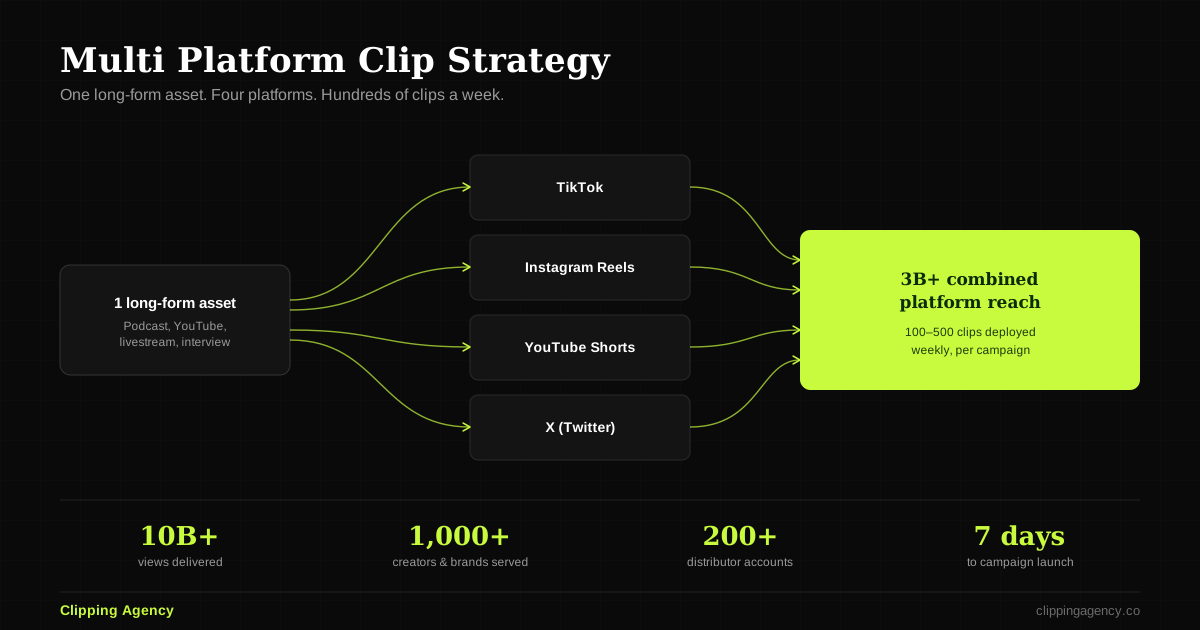
Now the same 10 clips, distributed across 100 separate real accounts simultaneously. Each account is a real editor with a real audience in your niche. Each post is an independent algorithm test running against a unique audience. Day one: 100 tests. Some hit audiences that respond at high rates. Those clips get pushed wider. By the end of week one, you haven’t posted 10 clips. You’ve effectively posted 1,000 clips. The total reach from this model compared to the single-account model isn’t marginally better. It’s routinely an order of magnitude different.
This is how Clipping Agency has helped generate over 2 billion views for creators and brands — not by editing better than everyone else, but by building the distribution infrastructure that actually solves the reach problem.
What a Clipping Campaign Actually Involves
A clipping campaign is a fully managed distribution operation, not just an editing service. Here’s what that actually looks like end to end:
Content review and moment identification. Your YouTube videos get watched by trained editors whose entire job is finding the moments with the highest hook potential in your specific niche.
Clip production. Each identified moment gets formatted precisely for Reels — vertical frame, two-second hook, synced captions, clean export. Not batch-processed with a template. Actually edited.
Clipper onboarding and management. Real editors and community members are recruited to distribute your clips from their own accounts. These are real people with real audience histories. Not bots. Not fake profiles.
Quality review. Every single clip gets reviewed before it goes live. Captions, framing, hook quality, and how it represents your brand all get checked.
Payout processing. Clippers get compensated per clip or per view threshold. The whole financial layer is managed. You don’t touch it.
Performance tracking. View counts, engagement rates, and follower attribution across every account in the network. You can see exactly what’s working and what isn’t.
That’s the model. And yes, it’s an operation. Which is the whole point.
How Different YouTube Content Types Clip for Reels
Educational and Tutorial Videos
These are some of the richest sources of Reels content that exist. The structure of educational YouTube content naturally produces framework drops — moments where a complex idea gets condensed into something clear and repeatable. These moments generate saves at unusually high rates on Reels.
The clipping strategy: find the moment where the key insight lands for the first time. Not the buildup. Not the recap. The first time the speaker says the thing. Start there. End before the elaboration begins. The clip’s job is to make the viewer want to understand the full framework not to explain the full framework.
Podcast Episodes
If you film your podcast, even a basic two-shot or a talking-head setup every episode is a deep archive of clippable content you’ve probably never touched. A 60-minute episode typically produces 10 to 20 Reels-ready clips. The podcast clipping model turns each episode into a week or more of daily Reels distribution. One recording session. Seven or more posts.
The moments that clip best from podcast episodes: genuine disagreements that don’t get resolved neatly, moments where a guest says something that makes the host visibly react, counterintuitive stats or data points the host clearly wasn’t expecting, personal story moments where the speaker shifts from analytical to genuine.
Interviews and Conversations
Interview-format YouTube content is structurally ideal for Reels because the format creates natural contrast. Two people, two perspectives, the dynamic of someone being asked something they have a real answer to. The clips that work best from interviews are the moments where someone says something that makes the listener’s head tilt an answer that wasn’t expected, a perspective that cuts against what the interviewer assumed.
The reach potential of interview clips depends heavily on distribution. A clip from an interview with a well-known guest reaches wildly different audiences depending on whether it’s posted from one account or fifty. The short-form video distribution model is where this specific dynamic pays off — multi-account reach means the clip finds the audience that already cares about the guest’s perspective, not just the audience that already follows you.
Live Stream Recordings
Genuinely the most underclipped format in the creator economy. A two-hour live session contains more unscripted, authentic, high-energy moments than most professionally produced YouTube content. Q&As, live reactions, real-time problem-solving, off-the-cuff explanations that somehow come out more clearly than the scripted version live streams are full of all of this.
The challenge is time. Identifying the best moments requires watching the full recording, which is hours of work for each session. This is the exact scenario where a managed clipping service earns its cost in the first week. A trained editor watches the recording, extracts the clips, formats them, and hands back a week’s worth of Reels-ready content from a session you would otherwise have posted once to YouTube and moved on from.
How to Build a Real YouTube-to-Reels System
Start with Your Existing Catalog, Not Your Next Video
If you’ve been creating YouTube content for more than six months, your backlog of unclipped videos is worth more than any new video you’re planning to make. None of that content has ever been on Reels. All of it has potential you haven’t tapped yet.
Go into YouTube Analytics and pull up your videos sorted by average view duration. The videos where viewers stayed longest are the videos where the content held attention which is a strong predictor of clippable moment density. Start with your three to five highest-duration videos. You’ll likely find more strong moments in the first two of them than you’d expect.
Build a Weekly Rhythm Instead of a Content Sprint
The creators who grow steadily on Reels are not the ones who clip 30 videos in one weekend and then disappear for a month. They’re the ones who have rhythm clips going out every day, consistently, whether or not they had time to think about it that particular day.
A sustainable cadence for a creator with regular YouTube output looks something like this: two to three long-form videos per month, each yielding 8 to 15 clips, with two to three clips published daily across your distribution channels. At this pace, your YouTube content is driving daily Reels distribution without requiring you to produce anything new.
The system runs on what you’re already making. That’s the point.
Distribute First, Optimize Second
The hardest thing to accept about Reels growth and the thing that the data backs up completely is that distribution beats optimization every time.
A decent clip posted from 50 accounts outperforms a perfect clip posted from one account. Not usually. Every time. This doesn’t mean editing quality doesn’t matter. A great hook and accurate captions affect watch-through rate, which affects how strong the algorithm signal is from each account that posts your clip. But once the clip is above a quality threshold, additional polishing time has diminishing returns. Additional distribution has compounding returns.
Build for distribution. Then improve quality inside that distribution system.
Track the Metrics That Tell You Something
Total views and follower count are outcomes. They don’t tell you what to do. These three metrics actually tell you something:
Watch-through rate per clip — this is your hook feedback loop. If viewers are leaving in the first five seconds, the hook isn’t working. If they’re staying to the end, the opening two seconds earned it. Improve hooks based on this signal, not based on what you personally think sounds interesting.
Share rate per clip — this is the most valuable signal in your entire analytics dashboard. The clips that get shared are the clips the algorithm rewards most aggressively. Study the structural characteristics of your highest-share clips. What kind of moment was it? What was the hook type? What was the length? Replicate those patterns deliberately.
Follower attribution — which specific clips are actually converting viewers into followers on your main account? These are the clips where the audience decided they wanted more from you. They tell you what your growth audience values, which is different information from what your existing audience values.
The Bottom Line: Why Hire Clipping Agency
Let’s be honest about what it actually takes to do this properly.
You’ve read through every step in this guide. You understand the hook types, the formatting specs, the distribution logic, the system-building approach. You get it. And if you’ve been creating YouTube content for a while, you’re also probably doing mental math on what it would actually take to execute all of this consistently every single week.
Watching hours of footage to find the right moments. Editing each clip with a proper hook, vertical format, and synced captions. Building and managing a network of real accounts to distribute across. Recruiting and vetting clippers, reviewing submissions, processing payouts. Tracking performance across hundreds of posts and adjusting the system based on what the data tells you.
That’s not a side project. That’s a full team.
Clipping Agency is that team built specifically for creators and brands who have content worth reaching people with and audiences worth building.
Here’s what we actually do that most services don’t come close to:
We don’t just clip. We distribute. Most video editing services deliver a folder of files. You still post them yourself, from one account, through the same broken distribution funnel. We deploy your clips across networks of 50 to 500 real accounts simultaneously. That’s the difference between one algorithm test and hundreds of them — running in parallel, every single day.
We’ve done this 2 billion times. Not a projection. The actual view count across our client base is over 2 billion, across more than 1,000 creators and brands. That’s what a system that actually works looks like when it’s been running and refining for a while.
We manage every layer you don’t want to touch. Clipper recruitment and vetting, submission review, quality approval, payout processing, performance tracking — the entire operational layer runs through our team. You share the YouTube content. We handle everything that converts it into Reels reach.
We know what your catalog is actually worth. Creators consistently underestimate how much good material is sitting in their existing videos. Our editors know how to find the moments that stop scrolls in your specific niche, not in content generally. The difference between a clip that lands and one that flatlines is often a 15-second edit decision made by someone who’s done this thousands of times.
Creators working with us typically see a 10× increase in short-form content output within 30 days and consistently generate 1 to 5 million additional monthly views from content they already had. Not from new content they had to go make. From the videos already sitting on their YouTube channel.
If you’re making YouTube content and it’s not reaching audiences on Instagram Reels, that’s a distribution problem. Not a content problem. Distribution problems have a very direct solution.
Book a Strategy Call with Clipping Agency →
We’ll go through your YouTube catalog, find the highest-potential clips in your content stack, and show you exactly what a distribution system built around your content looks like in practice. No obligation. Just a real look at what your videos can actually do when they’re actually being distributed.
Frequently Asked Questions
What’s the best way to turn a YouTube video into an Instagram Reel? The process has three stages that all matter: finding the right moments (strong opinions, counterintuitive facts, emotional pivots, or framework drops), reformatting the clip into 9:16 vertical with a two-second hook and word-synced captions, and distributing it across multiple accounts to give Instagram’s algorithm multiple independent signals to work with. Skipping the third stage — which most guides don’t even mention — is the reason so many creators do good work on their clips and still see flat reach.
What aspect ratio do I need to convert a YouTube video to Instagram Reels? YouTube is 16:9 (horizontal). Reels requires 9:16 (vertical), at 1080×1920 pixels minimum. The conversion means either center-cropping the horizontal footage, using keyframe tracking to follow a moving speaker, or applying a blurred background behind the vertical crop to fill the full frame without black bars. The last option looks the most native on the platform and is worth the extra few minutes for your best clips.
How long should a Reel be when it’s repurposed from a YouTube video? It depends on what the clip is doing. Sharp opinion clips and counterintuitive facts land best at 15 to 30 seconds — they don’t need setup. Framework drops and story setups work well at 45 to 60 seconds. Dense educational moments can stretch to 90 seconds if genuinely every second earns its place. The safest rule: end the clip before the viewer has time to think about scrolling. When in doubt, cut it shorter.
How many Reels can I realistically get from one YouTube video? A 30-minute video usually yields 5 to 10 strong clips. A 60-minute video typically gives you 10 to 20. A 90-minute interview or podcast episode can produce 15 to 25. The number depends much more on how content-dense the video is than how long it runs. A tight 30-minute tutorial with a clear framework every few minutes often clips better than a rambling 90-minute conversation.
Do I need to credit my YouTube video when I post a Reel from it? If you’re repurposing your own content, no formal attribution is required. Some creators add a text overlay pointing to their YouTube channel for viewers who want the full version — that’s a strategic choice, not a platform rule. One thing to watch: framing the Reel as a preview (“full video on YouTube!”) tends to reduce watch-through rate because the clip no longer feels like a complete experience. Let the Reel stand on its own.
Why aren’t my Reels getting views even though I post every day? Daily posting from a single account is consistent, but it doesn’t fix the underlying distribution ceiling. If your existing followers aren’t engaging at a high enough rate to trigger Instagram’s wider test, your clips stay within your current follower base regardless of how often you post. The fix isn’t posting more often from one account — it’s distributing across multiple accounts simultaneously so the algorithm has more independent signals to respond to.
Can automated tools handle the YouTube-to-Reels conversion at scale? Automation handles the mechanical parts format conversion, basic captions, export settings. It can’t identify which moments have genuine hook potential, construct a compelling opening two seconds, or catch caption errors in specialized content. And no automation tool solves the distribution problem, which is the part that actually drives reach. Multi-account distribution at scale requires real accounts with real engagement histories and real people managing the process.
How is a clipping service different from hiring a video editor? A video editor delivers clip files. You still post them yourself, from one account, through the same single-signal distribution model. A managed clipping service handles both the editing and the distribution deploying your clips across a network of real accounts that each run independent algorithm tests. The difference in monthly views between those two models isn’t slight. It’s typically an order of magnitude.
How quickly will I see results from repurposing YouTube videos to Reels? Most creators using a managed clipping distribution model see measurable increases in Reels views and follower growth within the first 30 days. The timeline depends on your niche, how much existing YouTube content is available to clip from, and the size of the distribution network. Single-account posting produces slower results and caps out earlier regardless of clip quality.
How do I get started turning my YouTube videos into Instagram Reels with Clipping Agency? The fastest way is to book a strategy call. We’ll look at your YouTube catalog, identify what has the strongest Reels potential in your niche, and map out what a distribution system built around your content looks like. Setup after the call typically takes 7 to 14 days. You don’t need to prepare anything beforehand — your existing YouTube videos are the only input the system needs.
Related Reading:
- How Clipping Agencies Help Creators Grow Faster
- Best Content Repurposing Strategies for Creators
- Reels Clipping Service for American Influencers
- Short Form Video Content for Brands
Every Day You Wait, A Competitor Gets the View
We recruit, train, and manage a clipping army that distributes your content across 50–500 accounts on TikTok, Reels, and Shorts simultaneously. One upload becomes hundreds of posts. Every single day.
Trusted by 1,000+ creators · 10 Billion+ views generated